README.md
# Simple USB-C PD Peltier driver

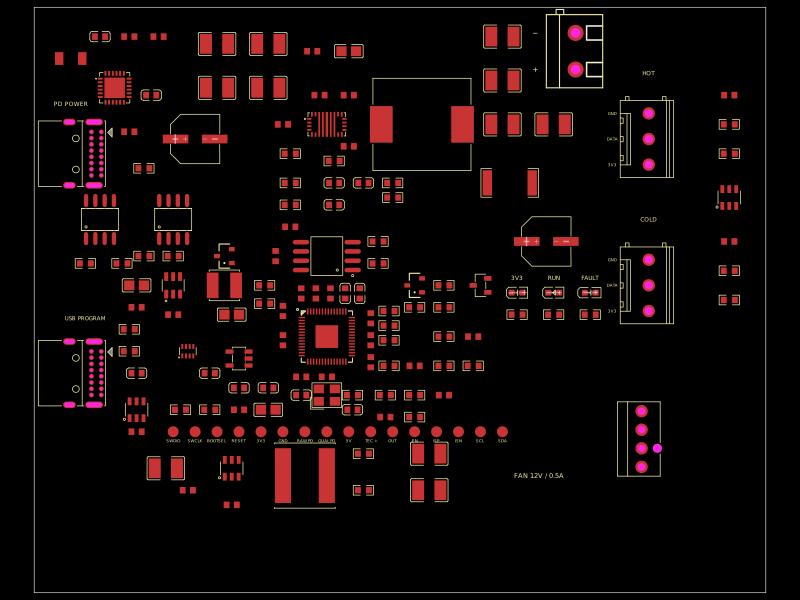
An adjustable **voltage and current limited power driver** for two-wire DC Peltier modules, with two USB-C ports: **PD POWER** for the load and **USB PROGRAM** for firmware and serial configuration. The default module is one **HiLetgo TEC1-12706 from Amazon**, at **12 V / 5.5 A**. Control uses an **RP2040** with a 12 MHz crystal and 16 MiB QSPI flash. Two **DS18B20 probe ports** monitor the hot and cold sides, and a keyed PC fan header provides fixed **12 V / 0.5 A** fan power. There are no display or buttons.

Nominal settings cover **2.1–15 V**, **0.50–6.00 A**, and **72 W maximum V × I**. Use a **100 W, 20 V / 5 A USB-C PD source** and **5 A electronically marked cable**. The converter's hardware feedback loop limits current; firmware sets the limits and rejects combinations exceeding the power budget.

## Configure once, connect PD to run

1. Fit the Peltier's hot-side heatsink and connect its two factory leads to `J_TEC`, with the intended cooling polarity.
2. Connect a computer to **USB PROGRAM**. Install the host tool's requirements, then run `python3 firmware/host/control.py configure 12.0 5.5` from the repository root.
3. Connect **PD POWER**. A valid saved profile starts after approximately one second of qualified PD power. The programming cable can be removed while the output runs.

**POWER**, **RUN**, and **FAULT** LEDs show supply, output and fault state. USB commands change/save limits, stop/start output and enter the RP2040's ROM BOOTSEL loader for drag-and-drop UF2 flashing. A blank board defaults to 12 V / 5.5 A with output OFF until configured or explicitly started. Protective faults latch OFF; see [firmware and recovery instructions](firmware/README.md).

Connect one [HiLetgo DS18B20 probe](https://www.amazon.com/dp/B00M1PM55K) to each **HOT** and **COLD** screw terminal: **red → 3V3, yellow → DATA, black → GND**. The selected Amazon five-pack has 1 m factory cables; two probes are used. USB `STATUS` reports both temperatures, validity, age and sensor status. Temperature monitoring is optional and does not change the saved voltage/current profile or automatically regulate temperature.

Plug the selected [Noctua NF-A8 PWM 12 V fan](https://www.amazon.com/dp/B00NEMG62M) directly into **FAN**, using its factory 4-pin cable. Its manufacturer-rated maximum draw is **0.08 A / 0.96 W**, within the board's 0.5 A continuous fan budget. The Molex 47053-1000 header also accepts compatible 12 V 3- and 4-wire PC fans. Fan power starts with qualified PD and stays on when the Peltier output is stopped. Tach and PWM are unconnected, so this Noctua runs at full speed (2200 rpm); connect directly without the supplied Low-Noise Adaptor. [Selection and specifications](docs/fan-sourcing.json) record the exact 12 V model, Amazon availability and compatibility.

For another module, configure limits within its ratings before connecting PD. The board provides fixed output polarity. Programming USB alone powers the control electronics and probe ports. The probe connectors expose independent 3.3 V GPIO signals for other digital sensors with suitable firmware; the existing SDA/SCL debug pads also expose the I²C bus.

## Board and build

The **100 × 80 mm, four-layer board is deliberately unrouted**. It extends to the right and bottom, keeping the USB mating edge and existing circuit placement. It has **134 purchased component placements**, all with concrete JLCPCB identifiers, plus **16 labeled copper debug pads** for SWD, boot/reset, rails, enable, current sensing and I²C. The pads are PCB features, excluded from the purchased BOM. Silkscreen retains connector, polarity, LED and debug labels; component reference text is hidden.

```sh
bun install --frozen-lockfile
bun run typecheck
bun test ./tests
bun run build --site --preview-images --use-cdn-javascript
bun run scripts/build-assembly.ts
bun run dev
```

Cloud builds use tscircuit’s default pipeline to generate the preview site (`dist/index.html`), preview images, circuit JSON and JavaScript library exports from source. The dev server displays the PCB, schematic and native 3D assembly directly from source. Run `bun run assembly` locally for standalone 3D exports.

Circuit TSX uses explicit parts, coordinates, purchasing identifiers and pin connections. Small files group the programming supply, RP2040, sensing, fan power and status/debug circuitry; CAD geometry calculations stay in the assembly model file.

In **Schematic**, use the **Sheet** menu to follow the nine A4 pages: PD input, adjustable TEC power, USB/logic supplies, RP2040 signals, RP2040 power, permission/measurements, LEDs/debug, fan power, and temperature probes. The MCU units share one physical RP2040; labels carry signals between pages. `tests/schematic.test.tsx` renders the schematics with native rule checks and verifies symbol separation and all 57 MCU package pins.

`index.circuit.tsx` opens the complete native assembly in the dev server's **3D** tab: the board, selected Peltier, two USB cables, both temperature probes, the Noctua fan and their factory cables. The **PCB** and **Schematic** tabs show the driver circuitry. External accessories use `assembly.device` / `assembly.part` CAD geometry and do not add purchased PCB parts or electrical nets. The export also produces `dist/assembly/assembly.html`, `assembly.glb` and `assembly.png`. Supplier component CAD, manufacturer fan CAD and illustrative probe/cable geometry are distinguished in [model provenance](assets/assembly/provenance.json).

See [design and sources](docs/general-pd-driver.md), [JLC inventory](docs/component-sourcing.csv), [stock snapshot](docs/jlc-stock-audit.json), [Amazon probe selection](docs/sensor-sourcing.json), [Amazon fan selection](docs/fan-sourcing.json), and [firmware build/flash instructions](firmware/README.md). The Peltier, probes, fan and cables are separately purchased accessories. Source/netlist checks and an ARM cross-build pass; USB, power regulation and thermal performance have not been bench-tested. This unrouted prototype is not a manufacturing release.